 とりあえず、夢は見られるようだ。
オフィシャルテスト版アップデータ
A107I0_A404_001_007_0091_US.zip
色々、小細工したけど。
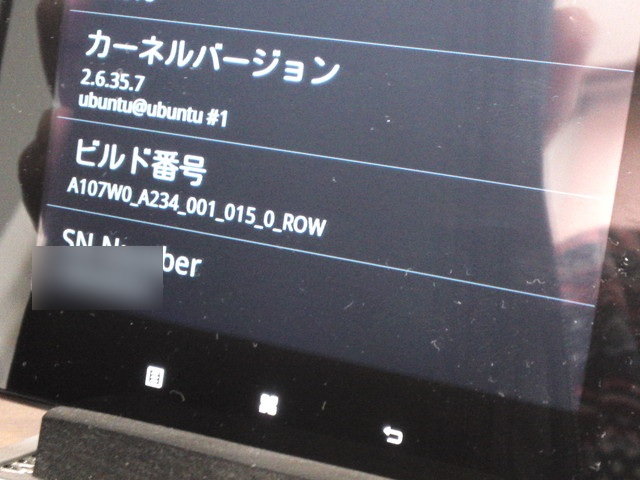 写真では分かりにくいかもしれないけど、ビルド番号が変わってる。
MLOそれとは別に、ブートさせるカーネルイメージ uImage を準備する。
u-boot.bin
omap3-mkcard.sh (今回は使用しない)
ramdisk-cm7.ub (CM7環境の人はこれを使用)
ramdisk-row-2643.ub (2643環境の人はこれを使用)
# dmesg仮に、/dev/sdb がSDカードとする。各自の環境に合わせて読みかえるべし。
[ 1452.618571] sd 7:0:0:0: [sdb] Assuming drive cache: write through
[ 1452.618580] sdb: sdb1
[ 1452.639529] sd 7:0:0:0: [sdb] Attached SCSI removable disk
# fdisk /dev/sdb次に、エキスパートモードを使用してディスクパラメータを設定する。
WARNING: DOS-compatible mode is deprecated. It's strongly recommended to
switch off the mode (command 'c') and change display units to
sectors (command 'u').
Command (m for help): p
Disk /dev/sdb: 2041 MB, 2041577472 bytes
255 heads, 63 sectors/track, 248 cylinders
Units = cylinders of 16065 * 512 = 8225280 bytes
Sector size (logical/physical): 512 bytes / 512 bytes
I/O size (minimum/optimal): 512 bytes / 512 bytes
Disk identifier: 0x00000000
Device Boot Start End Blocks Id System
/dev/sdb1 1 248 1992028 c W95 FAT32 (LBA)
Command (m for help): d
Selected partition 1
Command (m for help): p
Disk /dev/sdb: 2041 MB, 2041577472 bytes
255 heads, 63 sectors/track, 248 cylinders
Units = cylinders of 16065 * 512 = 8225280 bytes
Sector size (logical/physical): 512 bytes / 512 bytes
I/O size (minimum/optimal): 512 bytes / 512 bytes
Disk identifier: 0x00000000
Device Boot Start End Blocks Id System
Command (m for help): xパーティションを切って、パーティションタイプを指定する。
Expert command (m for help): h
Number of heads (1-256, default 63): 255
Expert command (m for help): s
Number of sectors (1-63, default 62): 63
Warning: setting sector offset for DOS compatiblity
Expert command (m for help): c
Number of cylinders (1-1048576, default 1020): 248
Expert command (m for help): r
Command (m for help): n以上でパーティションはOK。
Command action
e extended
p primary partition (1-4)
p
Partition number (1-4): 1
First cylinder (1-248, default 1):
Using default value 1
Last cylinder, +cylinders or +size{K,M,G} (1-248, default 248): +64M
Command (m for help): n
Command action
e extended
p primary partition (1-4)
p
Partition number (1-4): 2
First cylinder (10-248, default 10):
Using default value 10
Last cylinder, +cylinders or +size{K,M,G} (10-248, default 248):
Using default value 248
Command (m for help): t
Partition number (1-4): 1
Hex code (type L to list codes): c
Changed system type of partition 1 to c (W95 FAT32 (LBA))
Command (m for help): t
Partition number (1-4): 2
Hex code (type L to list codes): 83
Command (m for help): a
Partition number (1-4): 1
Command (m for help): p
Disk /dev/sdb: 2041 MB, 2041577472 bytes
255 heads, 63 sectors/track, 248 cylinders
Units = cylinders of 16065 * 512 = 8225280 bytes
Sector size (logical/physical): 512 bytes / 512 bytes
I/O size (minimum/optimal): 512 bytes / 512 bytes
Disk identifier: 0x00000000
Device Boot Start End Blocks Id System
/dev/sdb1 * 1 9 72261 c W95 FAT32 (LBA)
/dev/sdb2 10 248 1919767+ 83 Linux
Command (m for help): w各パーティションをフォーマットして使えるようにする。
The partition table has been altered!
Calling ioctl() to re-read partition table.
# mkfs.vfat -c -F 32 -n "boot" /dev/sdb1第2パーティション。/dev/sdb2 ext3、ラベル名 rootfs
# mke2fs -j -L "rootfs" /dev/sdb2さてさて、これでSDカードがフォーマットされたので、ブートに必要なファイルをコピーして環境を作っていく。
# mount /dev/sdb1 /media/tmp/次に、rootfs領域。
# cp ~/MLO /media/tmp/
# cp ~/u-boot.bin /media/tmp/
# cp ~/uImage /media/tmp/
# umount /media/tmp/
# mount /dev/sdb2 /media/tmp//media/tmp/ 内に / 以下のファイルシステムが展開される。
# dd if=~/ramdisk-row-2643.ub of=/media/tmp/ramdisk.img.gz bs=64 skip=1
# cd /media/tmp
# gunzip ramdisk.img.gz
# cpio -idmv < ramdisk.img
# cd
# umount /media/tmp/
 して、おしまい。
A107W0_A234_001_015_2643_GR.zip差分をとってみると、どれもフレームワークバージョンは2643_ROWと同じ。
A107W0_A234_001_015_2643_TR.zip
A107W0_A234_001_015_2643_US.zip
